
Used by banks, insurers and public sector organisations






Clients also include Orange, Slovakia's Ministry of Defence, the Geodesy, Cartography and Cadastre Authority, and the Ministry of Labour, Social Affairs and Family.
Prepare changes in advance. Decide what goes live.
Prepare a new offer, press release or updated terms ahead of publication day. In WebJET CMS, you can draft a page version, set its publication time and involve an approver according to your organisation's rules.
- An editor prepares the draft; an approver compares the changes and decides whether to publish them.
- Schedule a page to go live on a chosen date and time.
- Find previous versions and their approval records in the page history.
- Assign access to pages, files and applications according to each team member's role.
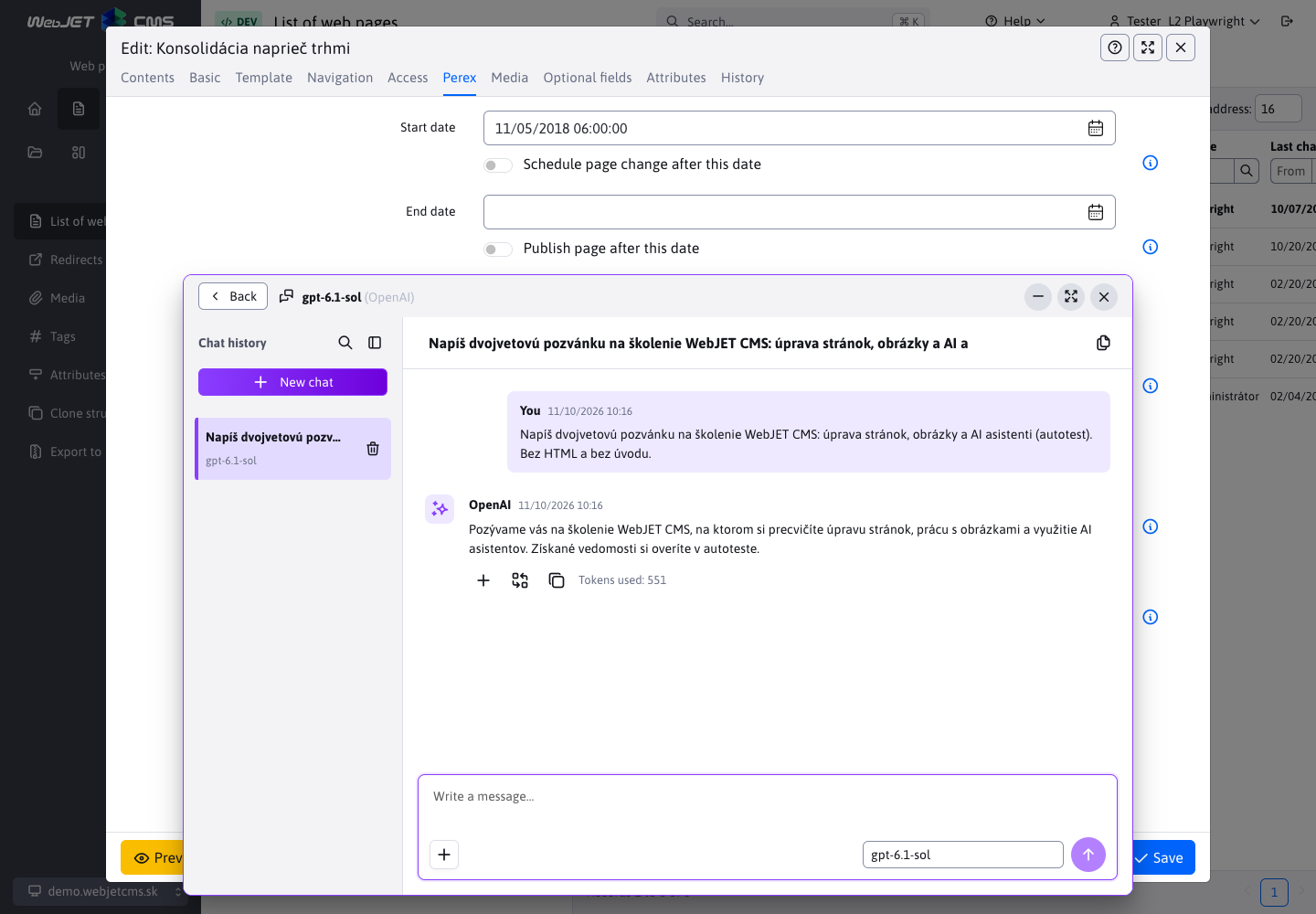
AI where you write and edit content
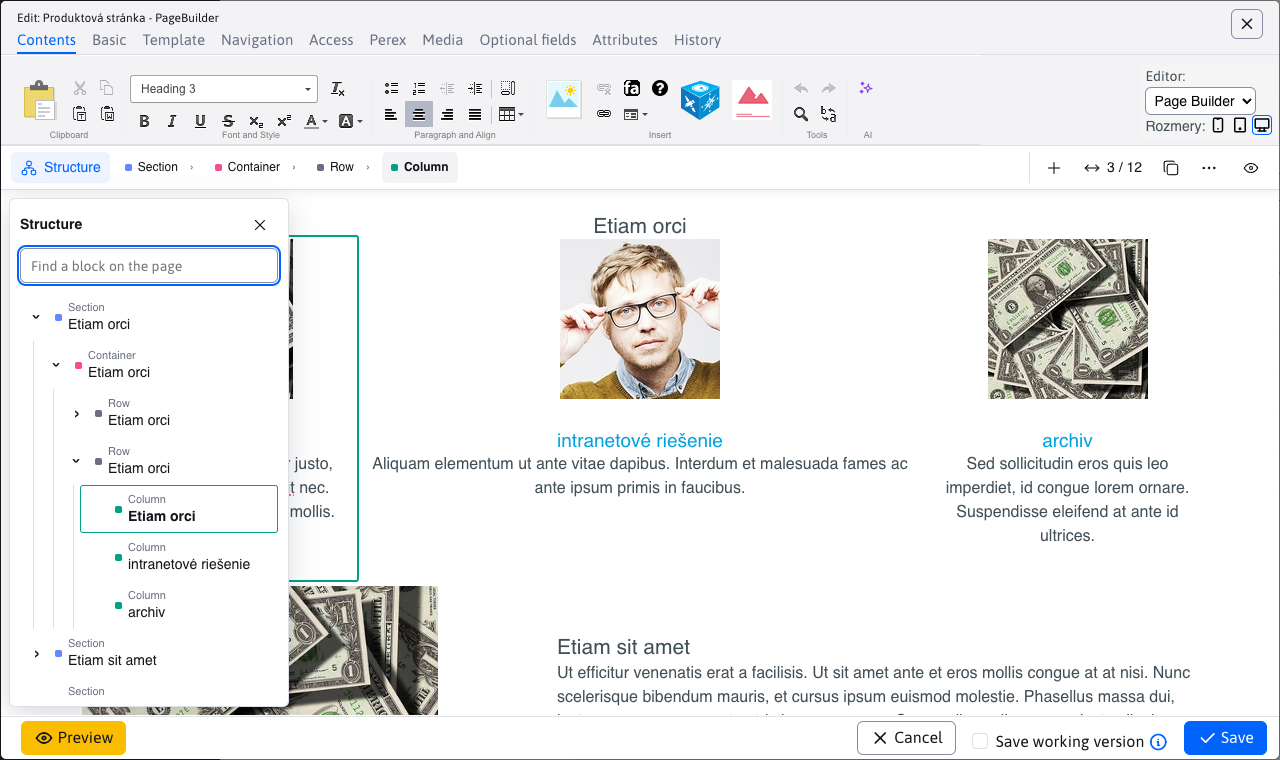
Ask an assistant to draft text, translate content or revise a selected paragraph. In PageBuilder, you can also start from source documents and refine the page through chat.
Your administrator selects providers and configures assistants for the team. For selected text tasks and search, you can also deploy local models on your own server.
Headless CMS: build your own frontend
Build your website with Astro, Next.js, React or Vue and manage its content in WebJET CMS. Headless mode delivers content through a REST API. Editors work in a familiar environment while developers build the frontend.
Multi-step forms
Break an application, registration or enquiry into clear steps. Adapt questions to previous answers and flag missing or incorrect information. Configure both steps and fields directly in the administration interface.
Multiple websites and languages in one administration interface
Manage your corporate website, brands and language versions in one place. Assign each team the content they are responsible for. Editors build pages from ready-made PageBuilder blocks and use the applications their website needs.
Tools for the people who build and develop your website
For Java and Spring developers
Build custom applications and administration interfaces for JPA data. Connect your website through REST APIs or create a custom frontend in headless mode. Start with the basecms project, documentation and skills for AI coding tools.
For web agencies
Build your client's website and give them an editorial workspace to manage its content. If your projects need approvals, multiple websites or custom integrations, let's discuss your first WebJET CMS project.
In development
We are working on scheduling related changes across multiple pages together, with a preview of the planned campaign. A version based on Spring Boot is also in development.
What's new in WebJET CMS
New features, practical guides and videos from the WebJET CMS team. Linked social posts and videos may be in Slovak.
Find the latest guides and release notes in the WebJET CMS documentation.
Let's look at your website and publishing workflow
See WebJET CMS through the tasks your team handles: AI-assisted content creation, approvals, scheduling and access management. Tell us what your new website needs to do.
