
Approvals and scheduled publishing
Prepare a new price list, product page or announcement in advance. An editor updates the content, the responsible colleague reviews the changes and the page goes live at the scheduled time.
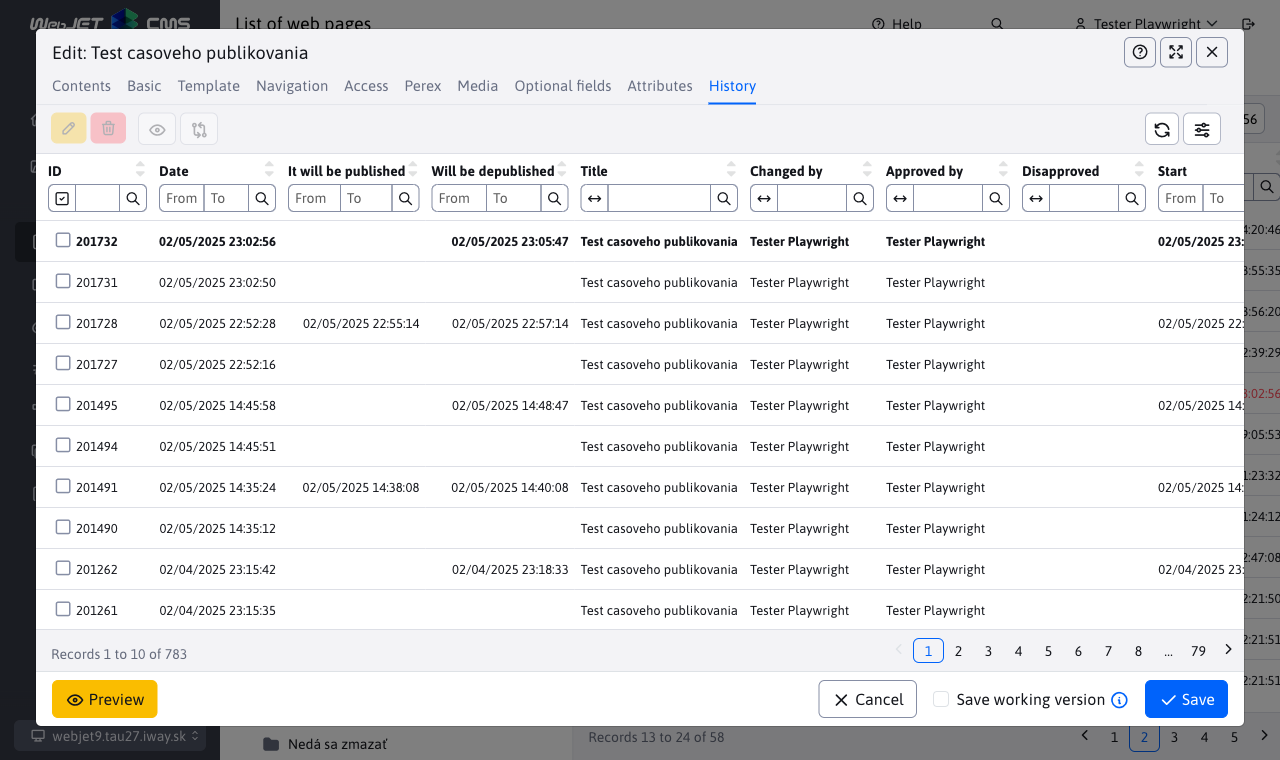
Drafts, version comparison and publication dates
- Drafts: prepare new content while visitors see the currently published page.
- Approvals: assign approvers to selected folders. They compare the original and proposed versions before making a decision.
- History: find published versions and records of approval or rejection.
- Scheduling: set a future publication time for a page update. With advanced scheduling enabled, prepare images and attachments that remain protected until publication.
AI assistance where you create content
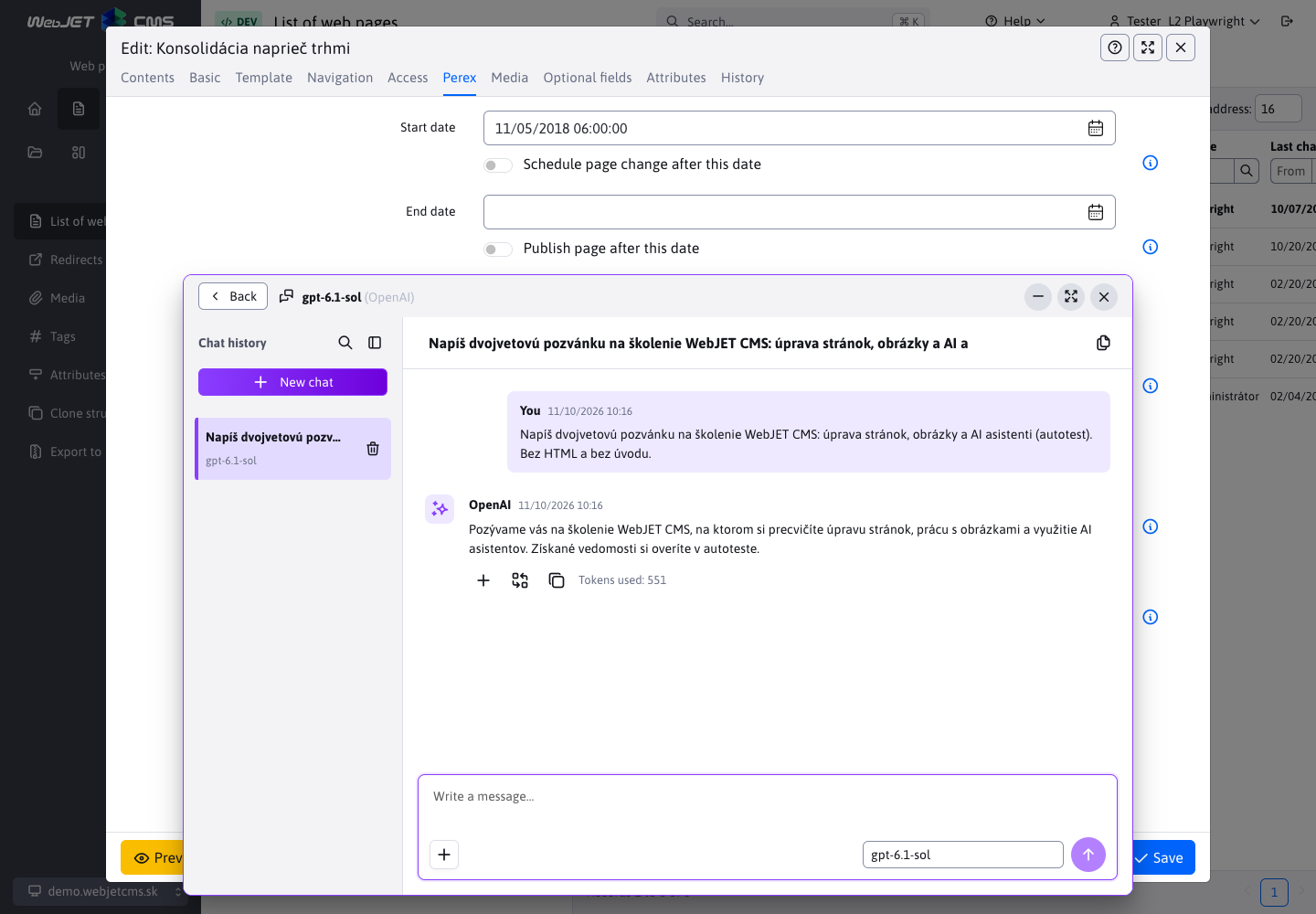
Rephrase text, prepare a translation or draft a page from source materials in the same interface where you publish content. Your administrator selects assistants and providers to match the team's tasks.
Text, images, page drafts and AI usage controls
- Text: generate, edit and translate content in text fields and the editor. An assistant can work with a selected part of the content.
- Images: generate an image from a description or edit an existing image, depending on the selected model's capabilities.
- PageBuilder chat: attach a PDF with a text layer, a Word document or a PowerPoint presentation and request a page draft. Continue making changes in the same conversation.
- Custom assistants: configure instructions, a model and the fields where the assistant should appear.
- Usage overview: monitor activity and token consumption by assistant and user. Set token limits and alerts for individual assistants.
Supported external services include OpenAI, Gemini and OpenRouter. With the required models configured, selected text tasks and semantic search can also run on your own server. Available operations and costs depend on the provider and deployment.
Build pages from your own design blocks
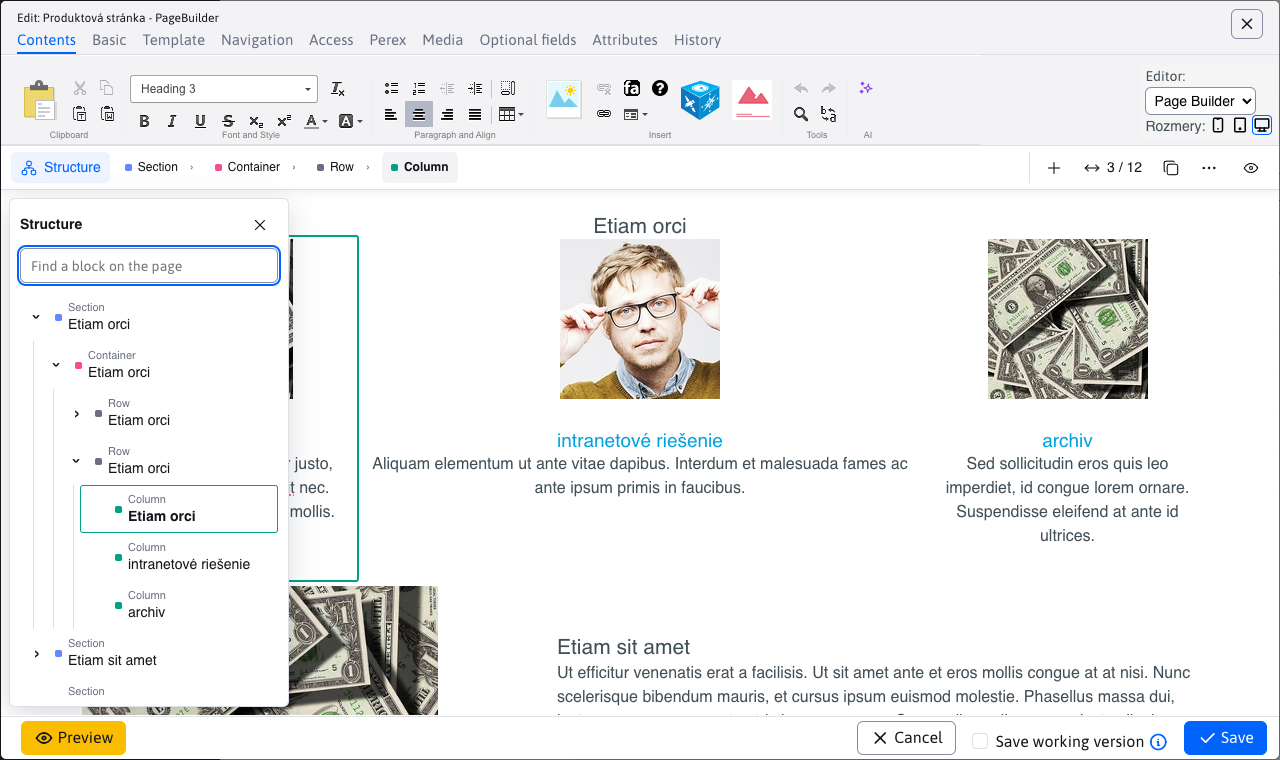
Assemble a product or campaign page in PageBuilder using blocks prepared for your website. Your team works within the agreed design and focuses on text, images and the order of content.
Block library, page structure and previews
- Choose blocks by preview, category and tag from a library prepared for your project.
- Find the section you need in the structure tree. Duplicate blocks and change their order.
- Adjust the layout using the available settings for mobile, tablet and desktop.
- Preview the page to check the result before publication.
Access based on team responsibilities
A regional branch editor needs to update different content from the administrator of the entire website. WebJET CMS lets you assign access to pages, files and applications and trace recorded changes.
Permission groups, audit logs and corporate sign-in
- Permission groups: define permissions for roles in your organisation and add individual user permissions.
- Content access: specify which pages and folders users can access and what they can do with applications.
- Audit: search recorded events such as publication, permission changes and sign-ins.
- Corporate identity: connect sign-in to an OAuth2/OpenID Connect provider, including Keycloak. Groups and permissions can be assigned at sign-in according to your configuration.
Multiple websites and languages in one administration interface
Manage your corporate website, product pages and language versions in a shared CMS. Linking language versions helps keep their structures aligned as you add and move content.
Domains, language versions and automatic translation
- Switch between managed domains and assign teams access to the relevant content.
- Mirroring links pages and folders across language versions and carries over their creation, movement and reordering.
- Once a translation provider is configured, titles, URLs and content are translated when you create a language version. Editors can review and refine the result.
- The language switcher takes visitors to the corresponding page. Templates can also generate
hreflanglinks.
For separate administration of multiple websites, MultiWeb mode provides domain-specific users and a shared management domain.
Search by meaning as well as words
Visitors do not need to know the exact service name or wording used in an article. Semantic search finds content with a similar meaning; hybrid mode combines it with full-text search.
Full-text search, semantic results and AI answers
Choose the search method and content folders for each search component. You can display a short AI answer above the results, generated from the relevant parts of your website.
Semantic search requires indexing, a supported vector database and a configured AI model. Processing can also use a local model on your organisation's server.
Tools for search visibility and website analytics
Manage URLs, redirects and content for search engines as you update your website. Track traffic and compare page variants within the administration interface.
URLs, links, statistics and A/B tests
- Manage URLs and redirects when content moves or is renamed.
- Link checking helps identify broken links and empty pages.
- Statistics show traffic, page usage and other visit data.
- A/B testing divides visitors between page variants in a configured ratio.
- Cookie consent settings control the loading of the corresponding marketing scripts.
Build custom applications and integrations
Java and Spring give your development team a foundation for custom applications and integrations. The headless API can also supply content to a website with its own presentation layer.
Custom applications, APIs and headless frontends
Developers can add Java/Spring applications, editor-facing settings and custom administration screens. The documentation covers extending the system and using its existing services.
The headless interface provides page content, navigation, news and search. Choose the frontend technology that fits your project. Individual integrations are built around the interfaces and rules of the connected systems.
In development
We are developing publication packages for shared drafts, change reviews and a common publication time across several pages. A Spring Boot version is also in development.
See the workflow your team needs
Tell us how you prepare and approve content today. We will walk through the relevant WebJET CMS features in a demo.
