
Your agency, your client and WebJET CMS
WebJET CMS can expand the technologies you offer clients. If you currently work with WordPress, your experience in website design, content and project management applies here too.
Your agency builds the website
Design the site structure and visual identity, prepare content blocks and select applications. Add custom features or integrations to meet the brief.
Your client manages the content
Editors update the pages they have access to, prepare news and submit changes for approval through the configured workflow.
InterWay develops the CMS
We are the creators of WebJET CMS. When discussing your first project, we will review the client's requirements together and agree on how we will work with you.
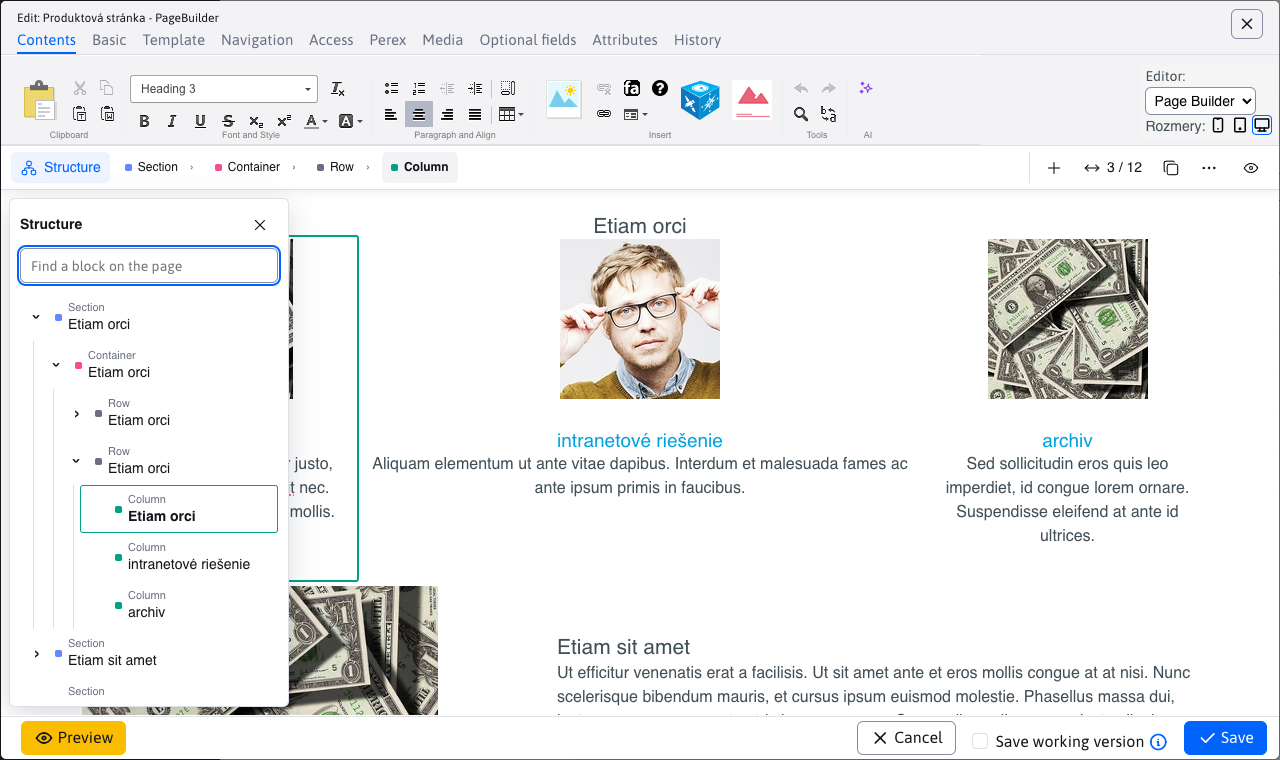
Create the blocks your client uses to build pages
In PageBuilder, pages are assembled from blocks prepared for the project. Your agency defines their appearance and options. Your client changes the text, images and permitted layouts.
AI assistants help edit text, translate content or draft a page using the available blocks. Editors review the draft and decide what to use.
Available AI tasks depend on the configured assistants and selected provider. Include their configuration when preparing the client project.
Hand over the content and a publishing process
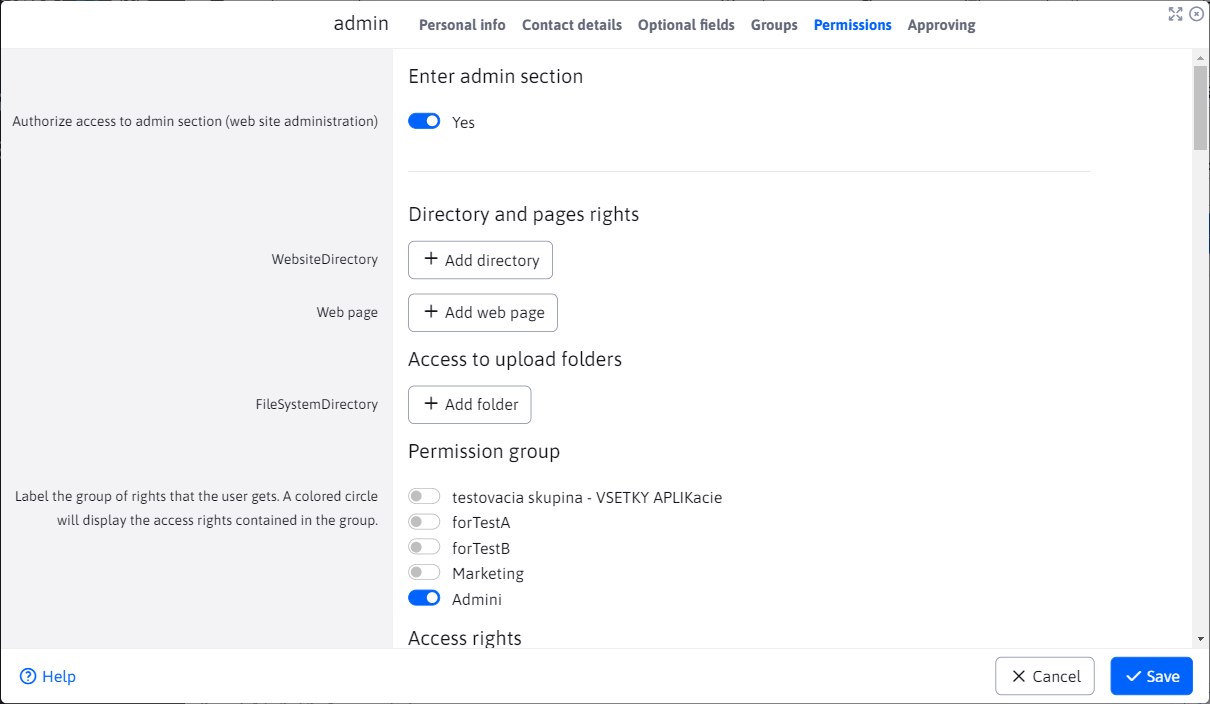
Set access permissions for specific pages, folders and applications. Use permission groups for editors who share the same responsibilities.
Configure approval for content that needs a review. Prepare a new version of a page in advance and schedule its publication.
You can then give your client a process for everyday content work, such as preparing a press release and having it approved by the person responsible.
Manage several client websites in one installation
MultiWeb mode lets you manage multiple domains, each with its own content and users, in one WebJET CMS installation. Your agency uses a management domain for shared configuration and administration.
MultiWeb settings determine access permissions and how the websites are separated. Together, we will assess whether a shared installation suits your projects and review the applicable licence terms.
Add the features your client needs
Use WebJET CMS applications for news, forms, galleries and documents. Build custom features and integrations in Java with Spring Framework, or connect a separate frontend through the headless API.
Start with your first client project
Bring a specific client brief. We will discuss the required features, content workflows, hosting and how to divide responsibilities between your agency and InterWay.
